DNS(Domain Name System,域名系统),DNS协议运行在UDP协议之上,使用端口号53。 DNS服务器(国内) 1、阿里DNS http://www.alidns.com/ 223.5.5.5 223.6.6.6 2、114DNS http://www.114dns.com/ 114.114.114.114 114.114.115.115 3、OpenerDNS https://code.google.com/p/openerdns/ 42.120.21.30 4、ONEDNS http://www.onedns.net/ 112.124.47.27 DNS服务器(国际) 1、Google Public DNS https://developers.google.com/speed/public-dns/ 8.8.8.8 8.8.4.4 2、OpenDNS http://www.opendns.com/ 208.67.222.222 208.67.220.220
作者: 方舟笔记
CentOS 多网卡配置,网卡重命名
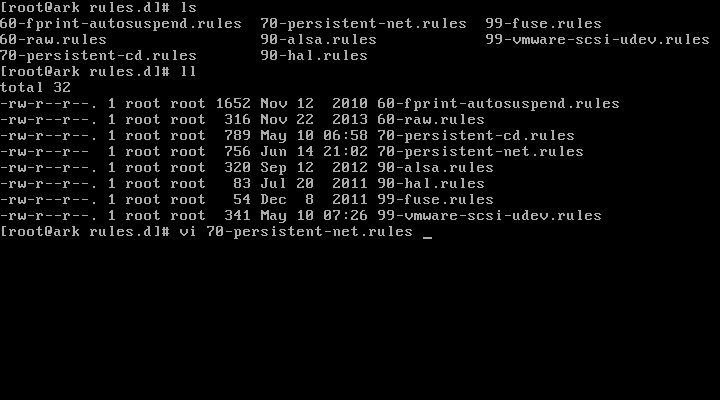
CentOS 多网卡配置 1:添加一块或多块网卡 2:cd /etc/udev/rules.d/ 3:cat 70-persistent-net.rules #查看网卡的名称 NAME="eth1",并记录MAC等信息。 4:cd /etc/sysconfig/network-scripts 5:cp ifcfg-eth0 ifcfg-eth1 6:vi ifcfg-eth1 7:修改DEVICE=eth0 ,修改HWADDR 8:nmcli con 查看网卡UUID,并修改原来的,或者注释掉UUID (#UUID) 9:reboot CentOS 网卡重命名 eth0 rename4 1:cd /etc/sysconfig/network-scripts 2:vi ifcfg-eth1 3:修改DEVICE=eth1 4:cd /etc/udev/rules.d/ 5:70-persistent-net.rules #存储网卡标识 6:vi 70-persistent-net.rules #编辑 7:reboot
在CMD中查询Whois
在CMD中查询Whois 介绍:http://technet.microsoft.com/en-us/Sysinternals/bb897435.aspx 下载1:http://download.sysinternals.com/files/WhoIs.zip 下载2:http://download.sysinternals.com/files/SysinternalsSuite.zip 1:下载解压后,将解压出来的whois.exe放置到 C:/Windows/system32/ 目录下。 2:打开CMD命令行,输入:whois xxx.com 即可查询。 3:也可以放置到其他目录下,使用的时候在CMD命令行下进入该目录。 4:输入:whois xxx.com 即可查询。
CentOS Drive Reinitialize
Windows Server2012 添加.NET Framework 3.5
cPanel配置ssh并使用putty管理主机
NGINX 配置404错误页面
NGINX 配置404错误页面 1、创建自己的404.html页面 2、编辑nginx.conf在http定义区域加入:fastcgi_intercept_errors on; 3、编辑nginx.conf或虚拟主机的域名.conf在server 区域加入: error_page 404 /404.html; 4、测试nginx.conf正确性: #/usr/local/nginx/sbin/nginx -t the configuration file /opt/nginx/conf/nginx.conf syntax is ok configuration file /opt/nginx/conf/nginx.conf test is successful 5、重启nginx生效 #/usr/local/nginx/sbin/nginx -s reload 6、502 等错误可以用同样的方法来配置。 error_page 500 502 503 504 /50x.html;